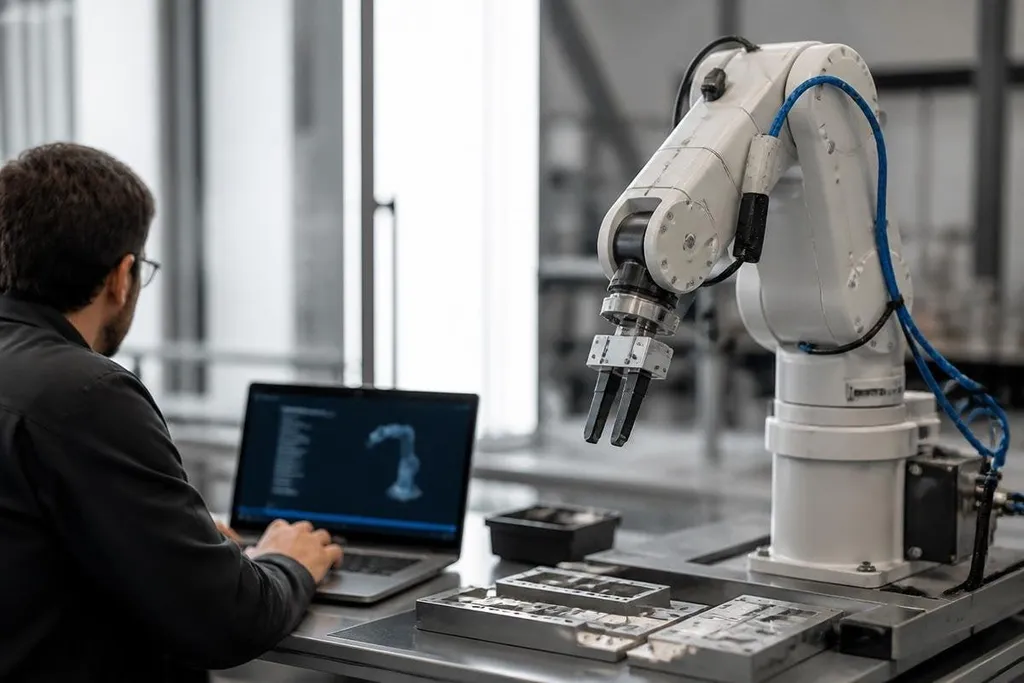
A connected robot can receive commands, send sensor data, and install software through a network. That link helps the robot do its job, but it also gives attackers more ways to reach the system behind its motors.
Quick read
- Remote access can affect robot movement, data, and uptime.
- Old firmware and weak passwords create openings that software alone won't fix.
- Network separation, access logs, and tested recovery plans reduce the damage.
Where the risk starts
A robot usually depends on more than its arm, wheels, or gripper. Its control computer may connect to a warehouse network, a cloud service, a fleet manager, cameras, sensors, and maintenance tools.
Each connection creates a path for commands or data. An attacker who gets into one part of that chain may try to reach another, especially when the robot and office systems share the same network.
I'd treat any connected robot as a networked computer with motors attached. That view changes the first security question from “Can the robot move?” to “Who can send it a command, and how is that checked?”
The main ways a robot can be attacked
Weak login controls are a common starting point. Shared passwords make it hard to tell which person changed a setting, while unused accounts can stay active after a worker or supplier leaves.
Remote support adds another path. A service technician may need access to logs, settings, or a live control session, but that access should have a clear owner, a time limit, and a record of what happened.
Software creates a second group of risks. Robot control systems depend on operating systems, libraries, firmware, and network services. If one part no longer gets security fixes, the robot may keep working while its exposed software falls behind.
Sensor data can matter too. Cameras may record workers, production areas, labels, or customer information. A security plan should cover where that data goes, how long it stays there, and who can download it.
Why robot attacks can affect safety
A stolen customer record is serious. A changed robot command can also stop a line, send a mobile robot into a restricted area, or make an arm behave outside its planned task.
The exact result depends on the robot, its safety controls, and the attacker’s access. A network breach does not automatically mean someone can take full control, but the system should not rely on that hope.
Safety functions need their own path and checks. An emergency stop, protective scanner, or physical gate should not depend on the same account used for routine software updates. The robot should also have a safe response when it loses network access.
The next step is to record who can change each control, how updates reach the robot, and what happens when the network fails. For examples tied to named machines and companies, Robot24.com reporting on robot security gives you a useful reference before you write the plan below.
What a good security plan includes
Security works best when the robot, network, people, and suppliers are handled as one system. A short review should cover these areas:
- Identity: Give each person and service its own account, then remove access when it is no longer needed.
- Network layout: Place robots on a separate network from office computers, with only the traffic they need.
- Software updates: Record robot versions, check the maker’s security notices, and test updates before a live rollout.
- Remote service: Require approval for outside access, limit the session, and keep logs that show who changed what.
- Data handling: Set storage rules for camera feeds, maps, logs, and production records.
- Recovery: Keep known-good robot settings and practice restoring them after a failed update or blocked account.
A practical check before deployment
Before connecting a robot, write down every network link and every account that can reach it. If the team cannot name the owner of one connection, pause the setup until someone takes responsibility.
Check the robot’s response when the network drops. It should stop, slow down, or finish a defined safe action based on its design, rather than wait for unclear instructions.
Ask the maker how long it supplies software fixes and how it reports security problems. If that answer is missing, the purchase carries a risk that the feature list won't show.
Keep a manual operating plan for a locked account, failed update, or unavailable cloud service. Recovery time matters because a robot that cannot run may still affect the people and equipment around it.
Connected robots will keep gaining links to software and services. The safest rollout is the one where every link has a purpose, every account has an owner, and every failure has a tested response.